
Lesson 3.1 · Software Builder Track
AI build setup is the unglamorous hour nobody posts about: no code, no output, nothing to show off — just accounts learning to trust each other. It is also where most first builds quietly die, because the tutorials skip it (“simply connect your API”) and beginners conclude the wall is theirs alone. It isn’t. This lesson walks the exact setup that brought this site’s report bot to life, and turns the boring hour into something you can actually finish.
Here’s the reframe that makes it survivable: in the previous lesson you learned that the AI writes the code and you steer. But before any code can run, three strangers have to shake hands — and no AI can shake them for you, because every handshake is you proving you are you.
AI build setup is wiring, not coding
Every bot that does something real needs three parties wired together. A data source that agrees to be read — for this site’s bot, Google Search Console. A worker identity allowed to do the reading — not your personal account, but a service account: think of it as a robot employee you create inside Google Cloud. It gets its own email address, and you literally invite that address into your data the way you’d invite a coworker. A delivery channel that knows your address — a Telegram bot, whose token plus your chat ID together form the envelope your reports arrive in.
The robot employee comes with one file: a JSON key, downloaded once when you create it. That file is the robot — anyone holding it can read whatever the robot can read. Which means it lives under the oldest rule on this site, the one from Lesson 0.4, with zero exceptions: never pasted into any chat, never screenshotted, never uploaded. Keys and tokens are passwords wearing work clothes. Setup, in other words, is not a technical phase — it’s a trust phase, and the security habits you built in Tier 0 are the actual skill being tested.
The experiment: build the workshop
You don’t need a website yet, and you don’t need the bot’s purpose decided. The workshop comes first — about forty-five minutes, all free, no credit card.
Step 1 — One folder. Create a folder on your computer for this build and nothing else. Every key, script, and log this bot ever owns will live here.
Step 2 — A project and a socket. At console.cloud.google.com, create a project, then find the API for the data you’ll want someday (Search Console, Sheets, YouTube — any one) and click Enable. That button is a wall socket: free to switch on, harmless until something plugs in.
Step 3 — Hire the robot. IAM & Admin → Service Accounts → create one, skip every optional role, then create a JSON key. The file downloads once. Move it into the folder from Step 1 and treat it as a password from this second on.
Step 4 — The delivery channel. In Telegram, message @BotFather, send /newbot, follow the two prompts. The token it hands you goes in a note file — same password rules, forever.
Step 5 — Learn your own address. Send your new bot any message, then open api.telegram.org/bot + your token + /getUpdates in a browser and find the number inside “chat”:{“id”: — that’s your chat ID. Save it next to the token. (And notice: that URL contains your token — so this page never gets screenshotted.)
When all five are done you own a strange artifact: a workshop with the lights on and no machine in it yet. That’s not an anticlimax. That’s exactly the state this site’s build was in — see below — one day before its bot sent its first message.
From the build log: day zero, on purpose
Two receipts from this site’s own setup hour. First, the wall socket — the moment the Search Console API was switched on for the bot’s Google Cloud project:
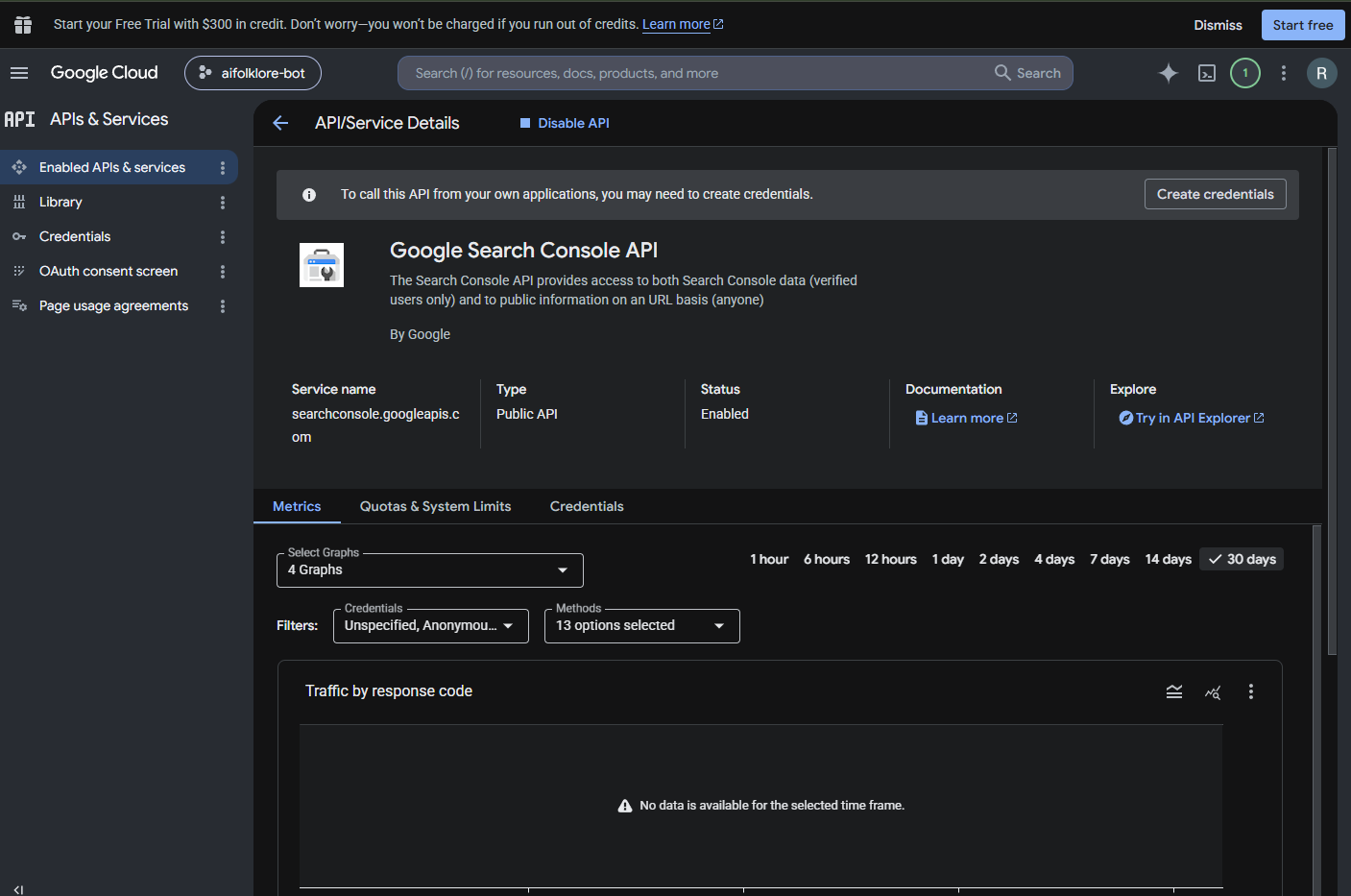 From the build log: the socket, switched on. Note the “$300 free trial” banner across the top — dismissed and never needed. Everything this build uses is permanently free, and knowing that in advance is what keeps the upsell banners powerless. One trap to dodge on this screen: the tempting “Create credentials” wizard leads to a swamp meant for a different kind of app. The service-account door from the experiment above is the quiet, correct one.
Second — and this is the receipt that explains the strategy — Search Console itself, minutes after this site’s property was verified:
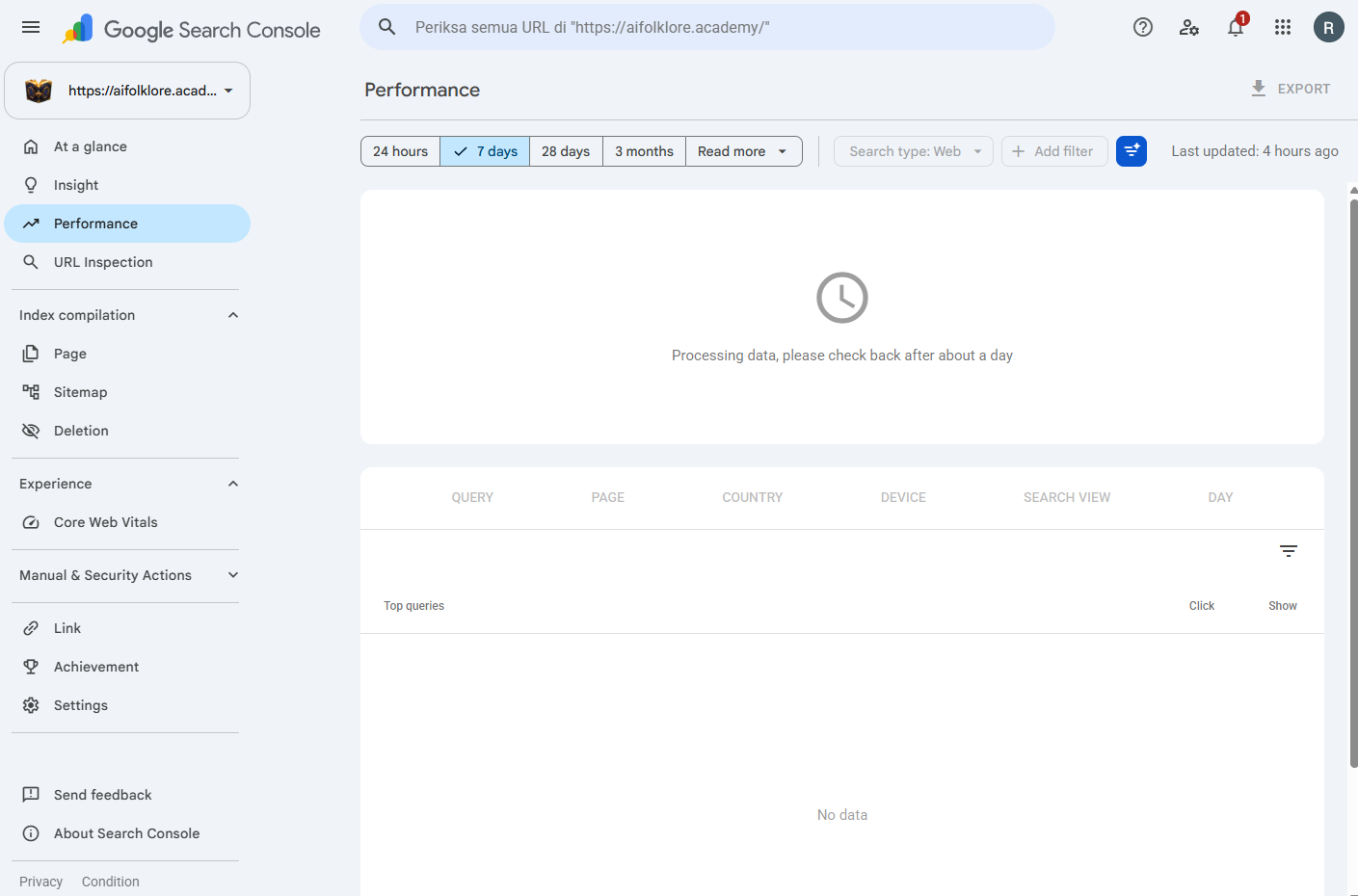
From the build log: day zero. “Memproses data” — “processing data, check back in about a day” — above a query table with nothing in it, on a site that was still deliberately hidden from Google. (Receipts here appear in the builder’s own Indonesian, untouched.) The measuring instrument was installed before there was anything to measure — so that when the first real number arrives, it will have a birth certificate.
That’s the part tutorials never say out loud: day zero is not an embarrassing empty dashboard, it’s a decision. Instruments before numbers. A baseline of honest zeros is the only thing that makes every later number provable — and on a site whose whole brand is receipts, the empty table is the receipt.
Build the workshop — all five steps, one folder, two saved secrets. Then write one line in your build log: “Day zero: instruments installed, nothing to measure yet.” That line will be the oldest timestamp in the story of whatever you build next.
Workshop lit. Next: the one-page fence that keeps the machine honest.Next — Lesson 3.2: Spec Before Code →